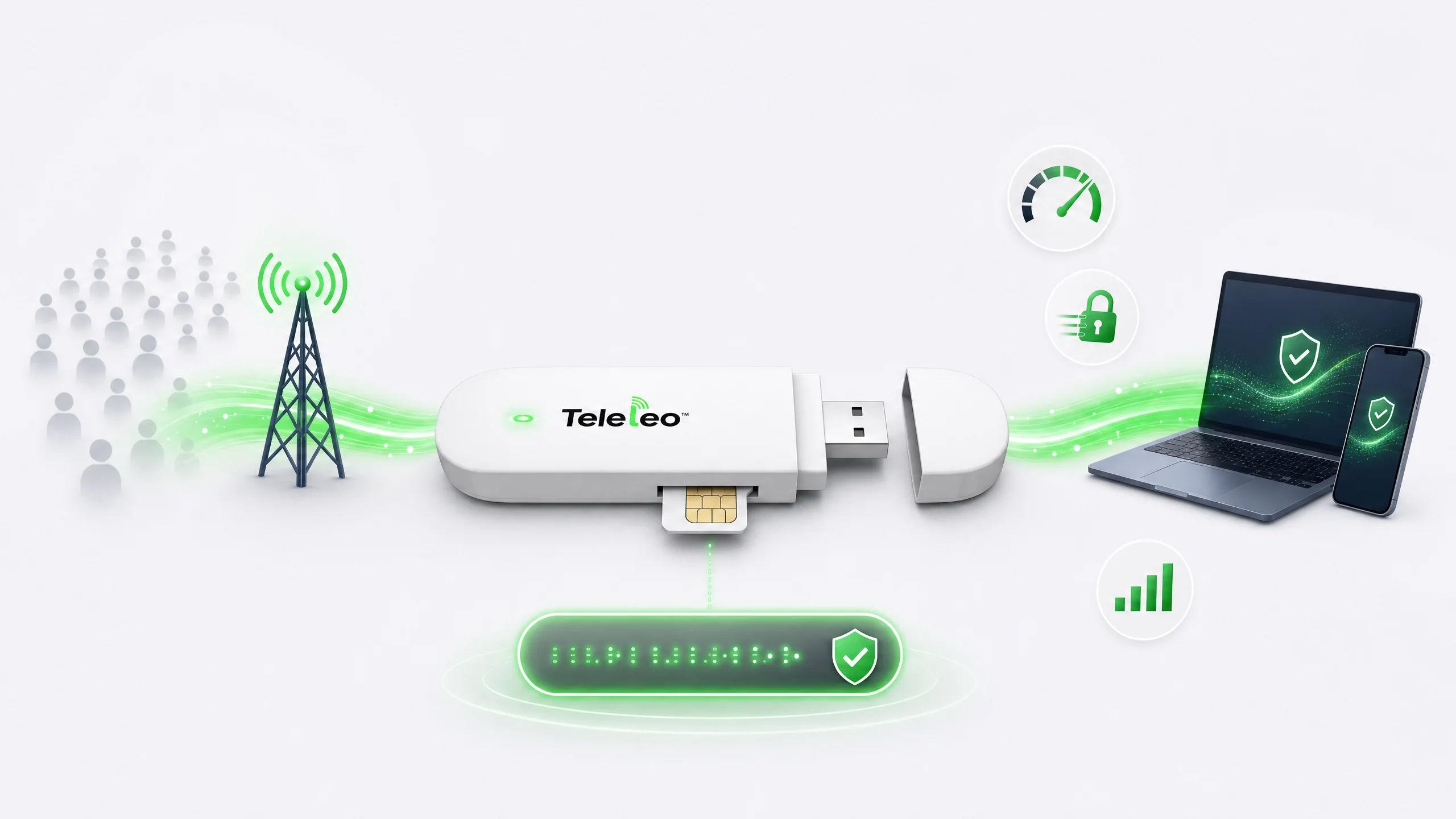
Teleleo Mobile Proxy — Real Mobile IP From Your Own SIM
A dedicated mobile IP address from your personal SIM card. No shared pools, no throttling. Traffic routed through our secure infrastructure — maximum speed, maximum privacy.
Why Teleleo Mobile Proxy Is Different
You don't rent a proxy — you own the source. Your SIM, your IP, your speed.
Real Mobile IP From Your SIM
Your IP address comes from your own SIM card on a live cellular network — not from a shared pool or a virtual server.

No Sharing — 100% Dedicated
You are the only user of your IP address. No slowdowns from neighbours, no bans from overused addresses.

True Geographic Presence
Websites see the country of your SIM card's home operator — a genuine mobile IP, not a virtual location.

Complete Privacy
Teleleo does not log or inspect your traffic. Your data goes directly from your SIM to the internet.

Trusted by Banks & Platforms
Mobile IPs are treated as real people by banks, social networks, and streaming services — not as bots or data centres.

Cost-Effective for Heavy Use
You pay only your operator's data rate. No per-gigabyte proxy fees — just your own plan at full speed.

Easy Setup in Minutes
Insert SIM, enable proxy in your dashboard, configure SOCKS5 or HTTP on any device. Done.

Works on All Platforms
Windows, macOS, iOS, Android — any device that supports standard proxy settings connects instantly.

No Throttling
Get the full speed of your cellular connection — up to 150 Mbps on LTE. We never throttle your bandwidth.
How It Works
Simple four-step setup. No technical expertise required.
Insert Your SIM & Power On
Place your own SIM card in the Teleleo modem and leave it running at your home or office with a good mobile signal.
Enable Proxy in Your Dashboard
Log in to your Teleleo account, navigate to VPN / Proxy, and enable the proxy for your modem. Credentials are generated automatically.
Configure Your Device
Add the SOCKS5 or HTTP proxy credentials to your device settings on Windows, macOS, iOS, or Android — using native system proxy settings.
Browse via Your Mobile IP
Your internet traffic now routes through your SIM's cellular data. Websites see the real mobile IP assigned by your operator.
Mobile Proxy vs Other Proxy Types
See why a dedicated mobile IP from your own SIM outperforms every alternative.
| Feature | Teleleo Mobile Proxy | Residential Proxy | Datacenter Proxy |
|---|---|---|---|
| IP source | Your own SIM card | Someone else's home internet | Cloud / data centre |
| Exclusivity | 100% yours — not shared | Often shared | Usually shared |
| Trust level | Highest (mobile IP) | High | Low (easily detected) |
| Speed | Max — direct cellular | Good — depends on host | Fast but often throttled |
| Stability | Stable — your own connection | Varies by provider | Unstable due to abuse |
| Risk of block | Very low | Medium | Very high |
| Control | Full physical control | None | None |
Who Is It For?
Anyone who needs a trusted, private, and fast mobile IP address

Social Media Managers
Manage dozens of LinkedIn, TikTok, or Instagram profiles safely — each on a separate SIM with its own dedicated IP.

Online Businesses
Access geo-restricted platforms, regional payment gateways, and local services as if you were physically there.

E-commerce & Price Scrapers
Scrape competitor prices, stock availability, and search rankings without bans. Mobile IPs are far harder to detect.

Remote Workers & Expats
Appear in your home country from abroad. Access local banking apps, streaming services, and government portals without restrictions.

Small Businesses
A cost-effective alternative to expensive proxy subscriptions. Pay only for your SIM data — no monthly proxy fees.

Recruiters & HR Teams
Manage multiple sourcing accounts on LinkedIn and job portals from a single machine — each behind its own trusted mobile IP.
Frequently Asked Questions
Everything you need to know before getting started.
No. Regular proxies rent you IPs from large shared pools — often overused and blocked. Teleleo gives you a dedicated mobile IP from your own SIM card that no one else can use.
Your speed equals the cellular data speed of your SIM card — 4G/LTE up to 150 Mbps. Unlike traditional proxy providers, we do not throttle your connection. You get the full speed your mobile operator provides.
Yes. Services like Netflix, BBC iPlayer, or Hulu will see a legitimate mobile IP from your SIM country — ideal for geo-unblocking without getting flagged.
You can connect multiple devices through the same proxy. For best performance, we recommend one active connection per modem at a time.
The proxy uses your SIM mobile data. Make sure you have an active data plan with sufficient allowance for your usage.
Yes. You are using your own SIM card and your own mobile data connection. Teleleo provides the remote access technology that connects your devices to it.
Teleleo supports both SOCKS5 and HTTP proxy protocols, compatible with all major operating systems and browsers.
Your IP is tied to your SIM card and operator assignment. To get a different IP, you can reconnect the modem or use multiple modems with different SIMs.
Ready to Own Your Mobile Proxy?
Join businesses and individuals who need the fastest, most reliable, and most private proxy solution. Order your Teleleo modem today and turn your SIM card into a dedicated mobile proxy — yours alone.
Stay reachable worldwide with the latest Teleleo experience
Keep your home SIM active, receive OTP codes, make calls, send SMS, and run Teleleo products in one unified platform — without roaming fees and without losing access to the number your customers, colleagues, and banks already know.


