Hidden Costs of Digital Nomads: How to Completely Eliminate Roaming Expenses on Long Trips
Learn how to keep your UK business number abroad, divert UK business calls overseas, receive OTP online through your real UK SIM, and manage client communications remotely using cloud telephony and automated SMS tools in 2026
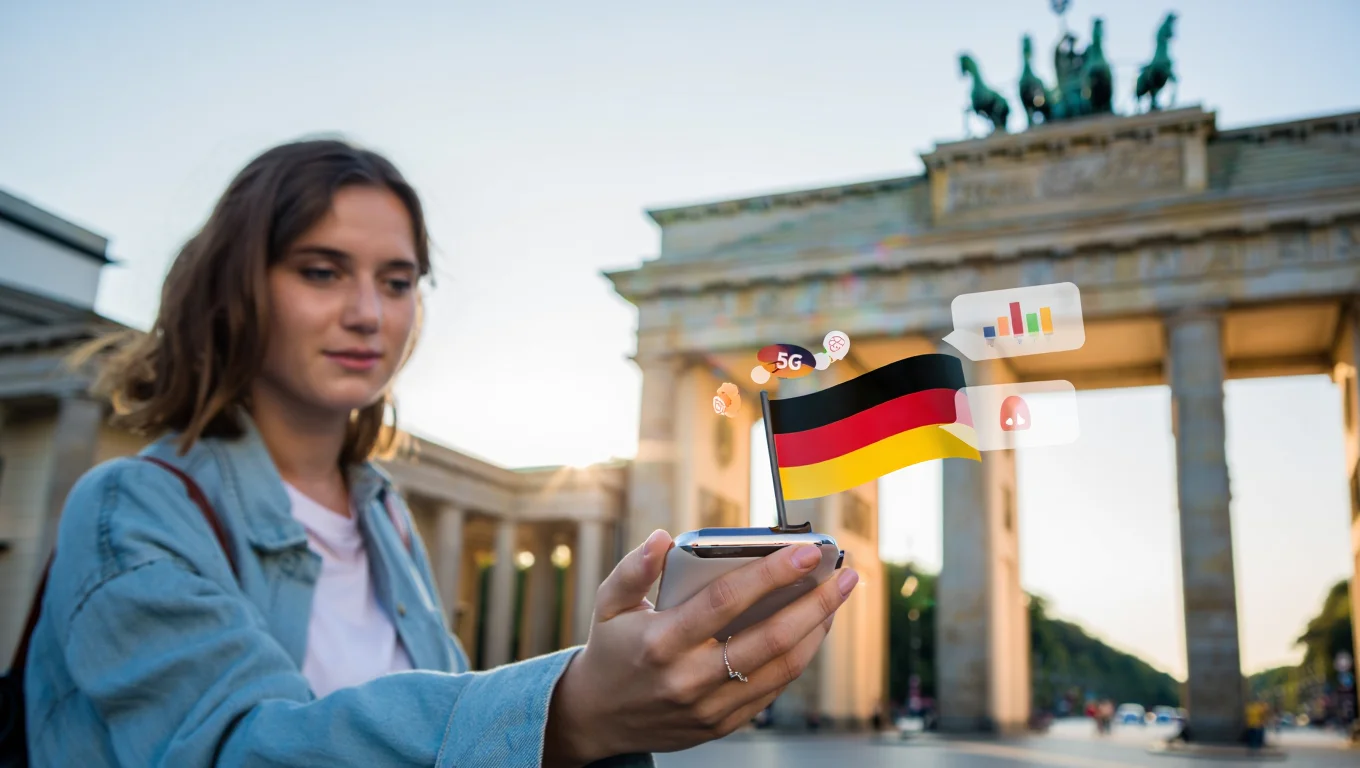
You sorted the flights. You found the flat. You packed light. But the one thing most long-term travellers never budget properly for is their phone bill — specifically, the quiet haemorrhage of costs that begins the moment you land in a foreign country. Roaming is not just an expensive per-minute call rate. It is a constellation of small, often invisible charges: a background app sync here, an incoming SMS there, a bank verification that fails at eleven at night because your home SIM is sitting in a drawer. In 2026, avoiding roaming charges in Europe and beyond is no longer about switching your phone off. It is about rethinking the entire architecture of how you stay connected. This guide will show you exactly how — and precisely where the money disappears before you even notice it is gone.
The Roaming Trap: Why Standard Tariffs Drain Freelancers' Budgets
Most UK mobile operators offer "roaming add-ons" that sound reassuring until you read the small print. These packages are designed for holidaymakers abroad for a fortnight, not for remote workers living in Lisbon or Chiang Mai for months at a stretch.
The fundamental problem is structural. Tourist bundles cap your data at a fraction of your domestic allowance, throttle speeds aggressively, and apply a premium to calls. For someone using their phone as a genuine work tool, those caps disappear within days. The subsequent overage charges can be startling, with some UK operators charging between £3 and £6 per megabyte when roaming outside of Europe. When using a UK phone abroad long term, these figures stop being hypothetical rather quickly.
Duration is a second trap. Many carriers impose a "fair use" ceiling: if you remain outside the UK for longer than a defined period — commonly 62 consecutive days — your operator may revoke your roaming privileges and apply full international rates without warning. For digital nomads, this is a near-certainty. The moment it happens, the cost of receiving calls abroad on a UK number can spike to several pounds per minute. The hidden costs of digital nomad lifestyle accumulate quietly until you find a charge that could have funded a week's accommodation.
Background Data Consumption: Where Do Your Gigabytes Go While You Sleep?
Switch on a smartphone in a new country, and it immediately begins a silent negotiation with every app. iCloud syncs photos, Google Drive queues backups, and Spotify refreshes its offline cache. None of this requires deliberate action, but on a roaming connection, every byte carries a cost.
On a standard roaming tariff, this passive consumption generates charges within the first hour. Independent testing shows a freshly connected smartphone can draw 50 to 150 MB of background data in the first sixty minutes abroad, without the user touching a single app. At worst-case rates, that translates to between £30 and £90 before you make a single conscious choice.
Compounding this problem are push services. Banking applications and security notifications are architected to maintain persistent connections. They ping servers and verify certificates in the background. While functionally invisible and free on your home network, on a roaming data connection, this creates a 24-hour financial leak.
The Incoming SMS Problem: The Biggest Pain When Banking Abroad
One of the most persistently underestimated hidden costs of digital nomad lifestyle is deceptively mundane: receiving a text message. On a domestic UK plan, incoming SMS are free, but abroad, some operators charge up to 40p per message. The line item is small, so the principle remains largely invisible.
But the financial cost is almost secondary to the operational crisis. When you attempt to log into your online banking from another time zone, complete an HMRC identity verification, or reset credentials, the two-factor authentication (2FA) code goes to your UK mobile number. If that SIM is switched off to avoid roaming charges, the code simply does not arrive, and you are locked out.
This is the incoming SMS problem that no travel eSIM can resolve. eSIMs provide excellent data connectivity, but your bank, HMRC account, DWP correspondence, and home alarm notifications are all registered to your original UK number. Missing a critical one-time password can mean a temporarily frozen account or a failed payment. This reality makes a coherent backup phone number strategy for UK travellers an absolute practical necessity.
Comparing Popular Solutions: Travel eSIM vs Local SIM Cards
When researching how to avoid roaming charges in Europe in 2026, most people converge on two answers: purchasing a travel eSIM or buying a local SIM card. While both beat standard UK roaming rates, neither completely solves the problem.
Pros and Cons of Travel eSIMs
Travel eSIMs offer seamless activation before departure via your phone's settings—no physical cards or airport kiosks required. For standalone data connectivity, they are excellent.
However, limitations emerge with sustained use. Travel eSIM data costs remain substantially higher than local rates, particularly in Asia and Latin America. Over months, this difference accumulates; a nomad in Southeast Asia might pay up to five times more for data. More fundamentally, a travel eSIM provides a new number, leaving everything registered to your original UK SIM stranded. It solves the data problem elegantly but ignores the incoming SMS issue. Furthermore, does WiFi calling cost money internationally via eSIMs? Usually, yes, due to per-minute charges or underlying VoIP architecture limitations.
Challenges with Local Operators: Passport Registration and Slot Blocking
Local SIM cards offer the cheapest mobile data globally (e.g., 50 GB in Spain for under €10). For data alone, the value is undeniable, but practical friction exists.
Most non-EU countries now require passport registration for activation, which can cause significant delays or require biometric verification. For nomads changing destinations frequently, this administrative overhead is burdensome. Crucially, replacing your UK SIM with a local one in a single-slot smartphone instantly takes your original number offline. You lose access to your bank, alarm company, and HMRC account. Solving your data problem creates a communication blackout.
Hardware Solutions as the Ultimate Level of Savings: The Evolution of Connectivity

A more coherent approach than juggling SIMs and expiring eSIMs is physical SIM hosting. Instead of carrying your home SIM abroad or leaving it dormant, you install it in a compact GSM modem plugged in at your UK address.
The modem connects to your home broadband and mobile network, maintaining your SIM in an active state. Through a secure web dashboard, you can receive SMS and collect OTPs globally, while voice calls are handled via a dedicated mobile app. Consequently, your UK phone number is never offline. Bank SMS, HMRC passwords, and alarm notifications arrive in real time. Meanwhile, your smartphone uses a cheap local SIM or eSIM for data—incurring zero roaming charges without blocking SIM slots.
Before comparing specific options, here are the criteria used to evaluate them:
Criteria for Rating Connectivity Solutions
Four parameters define the effectiveness of any long-term connectivity solution:
- OTP and SMS Reliability: The consistency of receiving time-sensitive authentication codes. Even a 5% failure rate is unacceptable for banking verifications.
- Total Cost of Ownership: The actual expenditure over six to twelve months, including device, subscription, and data costs, rather than just the headline monthly fee.
- Number Stability: The risk of losing access to your primary UK number due to carrier-imposed inactivity thresholds or extended overseas use.
- Universal Compatibility: Whether the solution requires active reconfiguration when crossing borders or changing mobile infrastructures.
| Solution | OTP / SMS Reliability | Estimated 6-Month Cost | Number Stability | Works in All Countries |
|---|---|---|---|---|
| UK roaming bolt-on | High | £180 – £420 | High (62-day limit) | Limited by operator policy |
| Travel eSIM (data only) | Not applicable | £90 – £200 | N/A — no UK number | Excellent |
| Local SIM (UK SIM inactive) | None | £20 – £60 | Low — inactivity risk | New SIM required per country |
| VoIP / virtual number | Moderate | £60 – £180 | Moderate | Good, with banking limitations |
| Physical SIM hosting (Teleleo) | Excellent | £50 – £120 | Excellent | No reconfiguration needed |
The table makes the trade-offs legible. Roaming bolt-ons are expensive and structurally limited to short trips. Travel eSIMs excel at data but cannot touch your UK number. Local SIMs are cost-effective but functionally isolating. VoIP services have a critical structural weakness that anyone dealing with UK financial institutions will encounter: virtually every high-street bank, building society, and government portal now screens incoming verification numbers and will reject those identified as VoIP or virtual lines. The attempt to bypass VoIP restrictions for banking in the UK generates page after page of frustrated forum posts precisely because no clean workaround exists within the VoIP paradigm. The system is rejecting the number at the infrastructure level, not the application level.
Physical SIM hosting addresses all four criteria simultaneously — and do so at a lower total cost than any option involving active roaming.
How to Set Up Your Personal Connectivity Gateway with Teleleo in 5 Minutes
Teleleo is a UK-based service headquartered in London that supplies a compact GSM modem alongside a secure web platform designed to do exactly this: keep your home SIM active and accessible from any country, with no roaming charges, no configuration changes required when you travel, and no dependency on carrier goodwill.
The product works precisely as described above. You receive the Teleleo modem, insert your existing UK SIM card — the same number your bank texts, your GP surgery rings, your DWP correspondence reaches, and your home alarm system pings — plug the device into a power socket in an area with mobile signal, and the essential setup is complete. From that point, you log into the Teleleo web dashboard from your laptop or mobile browser, from any country, and your UK number is present, live, and ready to receive.
Once the device is online, you can immediately run the complete system — receiving SMS and OTP codes, making and receiving calls using the dedicated Teleleo mobile app, and forwarding notifications automatically to Telegram or email.
Crucially, Teleleo does not provide a SIM card — you use your own. This means your number, your plan, all accumulated loyalty benefits, and every service linked to that number remain entirely under your control and with your chosen operator, unchanged.
Step-by-Step Activation Guide
Getting started with Teleleo requires no technical background and no understanding of mobile networking. The process from unboxing to full operation runs as follows.
- Create your Teleleo account at teleleo.com and place your modem order. Worldwide delivery is available for a flat fee of £19.99. The modem typically arrives within three to ten working days depending on destination.
- When the device arrives, insert your UK SIM card. The modem uses a mini-SIM format. If your current SIM is micro or nano size, you will need a standard SIM adapter. These are inexpensive and available from any mobile accessories retailer or online. Place the modem in a location at home that has adequate mobile signal: near a window on the ground or first floor is generally sufficient for most UK addresses.
- Connect the modem to a power socket.The device will typically register with your Teleleo account automatically, though manual activation via the dashboard is also available if needed. Log into the dashboard and within a few minutes you will see your modem listed as active, showing live signal strength and SIM status.
Before you travel, leave the modem running. There is nothing further to configure for basic operation. Your UK SIM will remain connected to the UK mobile network through the modem for as long as it has power and signal.
Integration with Messengers and Notification Forwarding
One of the most practically significant features of the Teleleo platform is its automated SMS forwarding capability. Rather than checking the dashboard manually every time you expect an authentication code or service notification, you configure the system once to forward all incoming SMS to your Telegram account or to an email address.
Bank OTP codes appear as Telegram messages, typically within seconds of the SMS arriving on the SIM. DWP correspondence, NHS appointment confirmations, HMRC verification codes, home alarm notifications, and any other automated messaging registered to your UK number lands in your chosen channel without manual intervention. Contacting DWP from abroad, or responding to any government service that communicates via SMS, becomes as simple as opening a Telegram message.
For voice calls, Teleleo provides a dedicated mobile application. Simply download the app, log in, and you can make and receive calls on your genuine UK mobile number over your local internet connection. Call quality on a standard 4G or broadband connection is entirely serviceable for professional use. Because the calls route through your actual SIM, your number presents as a real UK mobile number to any recipient — not a VoIP line, not a virtual number, but the same non-VoIP phone number your UK contacts and banking systems have on record.
Technical Life Hacks: How to Make Your Smartphone Use Zero Bytes in Roaming
Even with a hardware solution managing your UK SIM at home, the smartphone you carry abroad is — by default — engineered to consume data without discrimination. The following settings changes take under ten minutes and collectively eliminate any meaningful risk of accidental roaming charges on your travel device.
Data Saving Mode on iOS and Android: Hidden Settings
Both major mobile operating systems include native data-saving modes that are considerably more powerful than most users realise. On iOS, navigate to Settings → Mobile Data → Mobile Data Options → Data Mode, and select "Low Data Mode." This suspends automatic background app refreshes across the entire operating system, pauses iCloud background syncing, and reduces automatic pre-loading by streaming services. It persists across network changes, meaning it applies on both cellular and Wi-Fi connections — a useful property when relying on variable-quality accommodation internet.
On Android, the equivalent is Data Saver, found under Settings → Network & Internet → Data Saver. When enabled, it restricts all background data usage for apps that have not been explicitly whitelisted. Apps you actively use continue functioning normally in the foreground; the restriction applies only to activity occurring whilst you are not using the app. For the majority of professional tools — messaging, email, navigation, and productivity applications — this makes no perceptible difference to day-to-day usability whilst eliminating passive data drain entirely.
Beyond system modes, it is worth reviewing individual app background data permissions. Podcast clients, fitness trackers, photo-editing applications, and most social media platforms have no genuine need for background data access. Disabling it for these apps costs nothing in usability and removes another set of contributors to unintended data consumption.
The "Aeroplane Mode + Wi-Fi" Trick: How to Guarantee Zero Charges
The most reliable method for ensuring a smartphone never generates roaming charges is a combination that surprises many experienced travellers: enable Aeroplane Mode first, then re-enable Wi-Fi manually. When Aeroplane Mode is active, all radio transmitters on the device — cellular, Bluetooth, and NFC — are disabled simultaneously. The SIM card cannot register with any mobile network. Enabling Wi-Fi independently from Aeroplane Mode reconnects you to the internet without reactivating the cellular radio.
The result is a device that browses, messages, streams, and operates all internet-dependent apps normally over Wi-Fi, whilst being physically incapable of connecting to a roaming cellular network. This is particularly valuable in environments where Wi-Fi coverage is patchy — airports, trains, hotel lobbies — where your phone might otherwise momentarily drop to cellular to maintain connectivity without notifying you.
A secondary benefit: with the cellular radio disabled, battery life improves meaningfully. When travelling through areas with weak signal, a phone searching for a mobile network is one of the most battery-intensive states a modern handset can enter. The Aeroplane Mode approach eliminates this consumption entirely on travel days.
Disabling Auto-Updates and Photo Stream Sync
Two specific default settings are responsible for the majority of unintended high-volume data consumption on smartphones in transit, and both deserve individual attention.
App automatic updates should be restricted to Wi-Fi connections only, or disabled entirely during travel. On iOS, go to Settings → App Store and disable "App Updates" under the Automatic Downloads section. On Android, open the Play Store, navigate to Settings → Network Preferences → Auto-update Apps, and select "Over Wi-Fi only." A single application update can range from 50 MB to several hundred megabytes depending on the app. On an accidentally enabled roaming connection, this can generate a significant charge before you are aware it is happening.
iCloud Photo Library and Google Photos automatic upload should be configured to operate on Wi-Fi only. Both services default to uploading new images immediately after capture, regardless of connection type. A single day of active photography — sightseeing, work documentation, anything involving multiple shots — can represent a gigabyte or more of upload traffic. Restricting this to Wi-Fi and scheduling uploads for evenings at your accommodation adds no friction to your photography and removes a persistent source of potential roaming charges.
Security and Privacy When Working Remotely

Working from public spaces — airport lounges, coworking hubs, or cafes — means relying on networks you do not control. On unprotected public Wi-Fi, the risk of traffic interception is not theoretical; session tokens and authentication credentials can be exposed to anyone with modest technical skill. For remote workers handling sensitive client data or financial transactions, this represents a genuine operational risk.
Teleleo addresses this risk where it is most acute: receiving authentication codes. All communication between the modem and the remote dashboard is transmitted over encrypted channels, ensuring your SMS messages and OTP codes are never sent in plaintext. Subscribers also gain access to Teleleo's local VPN feature, which routes their connection through a secure node, providing vital protection against interception on shared networks. This matters most during moments of high vulnerability, such as receiving a bank OTP over a coffee shop connection.
Beyond the connectivity layer, sound operational security means maintaining a password manager, enabling hardware-based two-factor authentication, and ensuring all devices run current software. Your connectivity infrastructure is the foundation, and your daily security practices are the structure built on top. Both must be sound for the whole to hold.
Summary: Your Checklist to Save Thousands of Pounds on Connectivity
For business owners actively answering calls and receiving SMS abroad, roaming charges can be financially devastating. We have documented cases of remote workers accumulating between £3,000 and £5,000 in roaming fees over just four to five months. Replacing active roaming with a physical SIM hosting device at home, combined with local data SIMs or eSIMs, reduces your baseline cost to below £150 — saving thousands of pounds annually without sacrificing access to your home number.
Before your next extended trip, complete this checklist:
- Install your Teleleo modem at home with your primary UK SIM.
- Configure automatic SMS forwarding to Telegram or email for instant OTP delivery.
- Set your travel phone to Aeroplane Mode with Wi-Fi re-enabled as the default abroad.
- Disable background data, app auto-updates, and photo syncing on cellular connections.
- Arrange a local SIM or regional eSIM for data before departure.
- Download the Teleleo mobile app and log in so calls through your UK number are ready when needed.
Do this before reaching the passport queue. Five minutes of preparation at home prevents hours of frustration abroad, putting hundreds of pounds back into your travel budget.
FAQ: Answers to the Most Common Questions About Staying Connected on Long Trips
1. Is it legal to use a modem for remote access to your own SIM card?
Yes, entirely. Accessing your own SIM card remotely via equipment installed at your premises is legal in the UK and globally. You are not bypassing network infrastructure, cloning a SIM, or violating regulations. The modem simply keeps your SIM connected to the mobile network exactly as a handset would, but you access it via a web dashboard rather than a physical phone. This is lawful personal and commercial use of your own equipment and SIM contract.
2. Will I have to pay my home operator for roaming if I use the modem?
No. Because the Teleleo modem remains physically in the UK, your SIM card never crosses a border. From your operator's perspective, it is connected to the UK network as usual. No roaming event occurs, and no roaming charges apply. Your standard domestic plan—including all call, SMS, and data allowances—continues to operate exactly as contracted.
3. What happens if there is a power cut or internet outage at home?
If your home loses power or broadband, the modem goes offline until service is restored. During this downtime, incoming calls divert to voicemail and SMS messages are queued by your operator. Once connectivity returns, the modem reconnects automatically and delivers the queued messages. For extended trips, it's sensible to plug the modem into a reliable circuit or configure a smart plug to allow remote power cycling.
4. Will I receive SMS from banks and government services?
Yes — this is the central use case. Any SMS sent to your UK number arrives on the modem's SIM exactly as it would on a phone. With Teleleo's forwarding configured, messages from banks, HMRC, the DWP, the NHS, and insurance platforms appear in your Telegram inbox or email within seconds. This ensures you reliably receive all one-time passwords, 2FA codes, appointment reminders, and even real-time home alarm notifications, regardless of your global location.
5. Is the Teleleo modem difficult to set up without a technical background?
No. The physical setup requires only inserting your SIM card, plugging into power, and confirming a mobile signal. Online registration is a standard process, and the web dashboard is built for non-technical users—requiring no networking knowledge or complex router configurations. Most users are fully operational within five to ten minutes, and Teleleo provides comprehensive guides and live chat support during UK business hours if needed.
6. Do I need to change settings when moving from one country to another?
No. Because your UK SIM remains at home, its configuration never changes. It stays continuously connected to your local UK network. When crossing borders, the only change you need to make is to your local data source (buying a new local SIM or eSIM). Your UK number and modem continue functioning identically worldwide, offering true universal compatibility without the hassle of managing roaming settings.
7. Why can't I just use call forwarding to messengers?
Call forwarding is a partial solution with severe structural limitations. Standard carrier forwarding only applies to voice calls, not SMS—leaving critical bank and government 2FA codes completely unresolved. Furthermore, UK banks increasingly identify and reject VoIP or virtual lines during security checks. The Teleleo approach keeps your physical SIM active at home, ensuring it remains recognised as a genuine, non-VoIP UK mobile number. This crucial distinction prevents your verification attempts from being blocked and guarantees seamless access to your financial life.
Was this article helpful?


