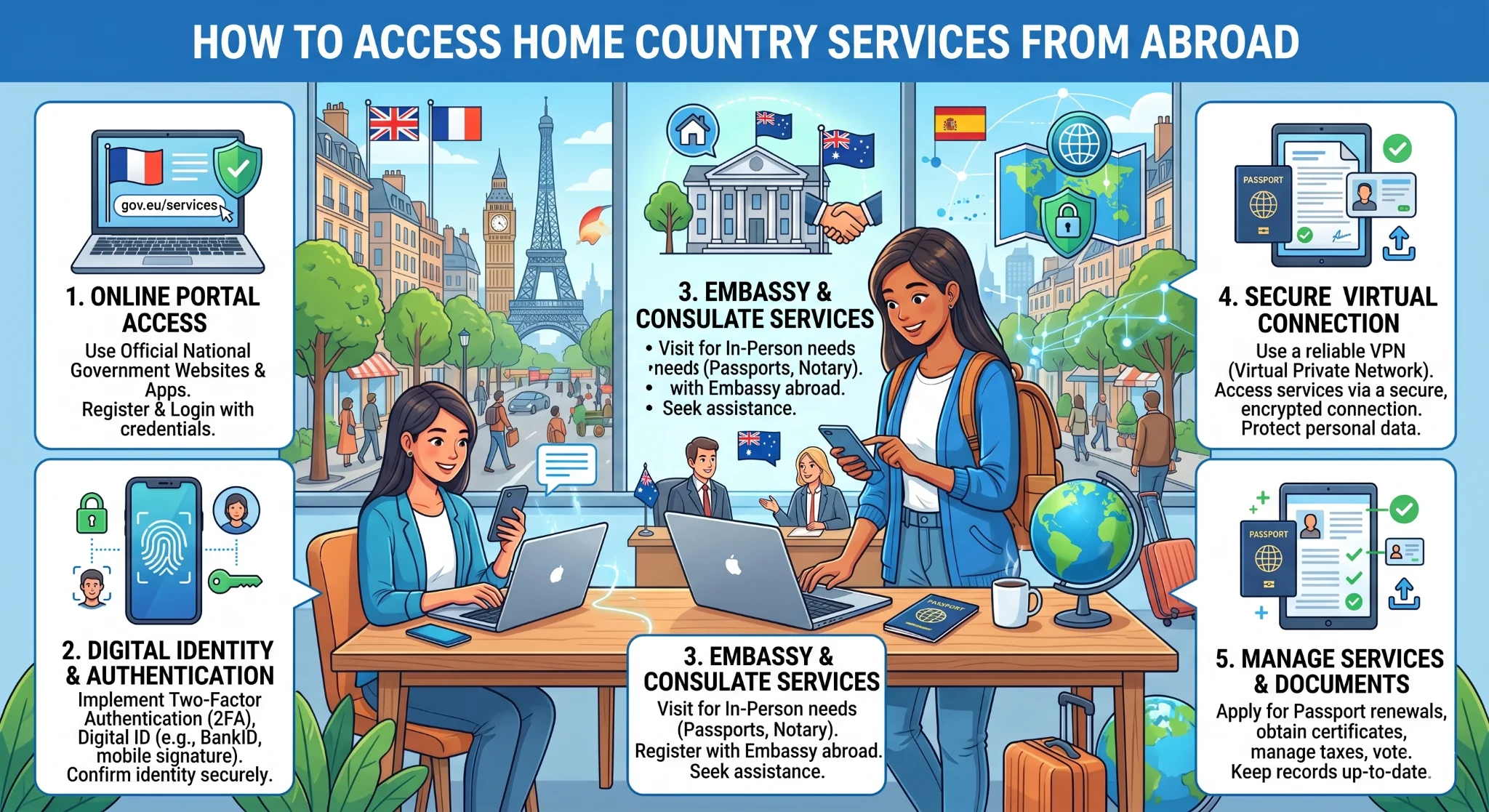
How to Access Home Country Services From Abroad
Learn how to keep accessing UK services while abroad, including Sky Go, UK Netflix, HMRC, NHS and banking apps. Discover solutions for accessing UK bank accounts from abroad, fixing blocked UK bank apps overseas, using the Barclays app abroad, and choosing the best VPN for UK expats

Moving or travelling abroad shouldn't mean losing access to the essential digital services you rely on back home. Whether securely managing UK bank accounts, filing taxes with HMRC, or streaming your favourite shows, crossing borders often introduces frustrating digital roadblocks. This guide explores the most effective tools and strategies for bypassing geographic restrictions, ensuring you remain connected to your essential UK platforms from anywhere.
Why Accessing Home Country Services From Abroad Can Be Challenging
Most digital services assume you are physically located where your account is registered. Streaming platforms licence content by territory, banks flag foreign logins as potential fraud, and government portals restrict access to residents. When you move overseas, these systems don't adapt—they simply block you.
For UK nationals living or working overseas, this creates practical problems:
- Streaming services like Sky Go and BBC iPlayer are geo-restricted to UK IP addresses.
- Banking apps detect overseas logins and may trigger security blocks.
- Government digital services, including HMRC and the NHS app, are designed for UK-based access.
- Business platforms verifying identity via SMS fail if your UK number is inactive.
Fortunately, these barriers have straightforward solutions. This guide covers the most common services UK expats need to access, explains the restrictions, and sets out reliable methods for maintaining connectivity.
Accessing Sky Go Outside the UK: What Works and What Does Not
Sky Go is one of the most commonly searched access problems among UK expats. Accessing Sky Go outside the UK is permitted for existing subscribers on a temporary basis—Sky's terms allow use "within the EU for up to 30 days". Beyond that window, the service is geo-restricted by default.
What works:
- Short-term EU travel: Sky Go functions for up to 30 days under EU portability rules without additional configuration.
- UK-based VPN: Connecting through a UK VPN server masks your IP. This works reliably for many, though Sky actively blocks VPN traffic, so results vary by provider.
- Offline downloads: Content downloaded within the app before departure plays without a geo-check.
What does not work:
- Free VPNs: Detection systems typically block them within days.
- Outdated browser workarounds: Most have been patched and no longer function.
- Inactive subscriptions: The account must remain tied to a UK billing address.
For long-term expats, reliable access requires a premium VPN with regularly refreshed UK servers. The same applies to ITVX, Channel 4, and BBC iPlayer.
How to Watch UK Netflix Abroad While Staying Within Licensing Rules
Netflix operates globally, but the content library varies by country based on licensing agreements. When travelling, your account works natively, but you see the local library instead of the UK one.
The question of how to watch UK Netflix abroad is really about accessing the UK content library specifically. Netflix's terms prohibit using tools to mask your location, and the platform actively blocks known VPN IP ranges.
Practically speaking:
- Premium VPNs maintain streaming-optimised servers that rotate IPs to stay ahead of blocklists (NordVPN, ExpressVPN, and Surfshark are frequently cited).
- Using these to access the UK library technically breaches Netflix's terms, though it does not constitute a legal violation in most jurisdictions.
- Enforcement is at the IP level, not the account level.
If your priority is how to watch UK Netflix abroad for specific content, a reliable paid VPN is the practical answer. Otherwise, local libraries are extensive and often include the same content with a short delay.
Accessing UK Bank Accounts From Abroad and Common Restrictions
Banking restrictions carry the most serious consequences. Accessing a UK bank account from abroad is possible, but the experience varies significantly by bank and action.
Routine activities—checking balances, reviewing transactions, paying established payees—typically work smoothly. Complications arise in specific scenarios:
- New device logins. Logging in from a foreign IP triggers heightened security, usually requiring an OTP sent to your registered UK mobile number.
- Adding new payees. Most banks require SMS verification to add payees or change payment details.
- Unusual transfers. Large payments to new recipients from overseas IPs may be flagged.
- Account recovery. Resetting credentials almost universally requires your registered UK number.
Ensuring your UK mobile number remains accessible—through a remote SIM modem like Teleleo—resolves the authentication dependency for virtually every banking access scenario.
Using the Barclays App Abroad: What You Can and Cannot Do
Barclays is widely used, and the question of can I use my Barclays app abroad has a nuanced answer.
What typically works without issue:
- Viewing balances and transaction history.
- Making payments to existing, verified payees.
- Using the app on a previously recognised, trusted device.
- Contacting Barclays through secure in-app messaging.
What may require additional steps or fail:
- Logging in on a new device from a foreign IP requires an SMS verification code.
- Adding a new payee requires SMS confirmation to your registered number.
- Using PINsentry for business banking works anywhere but requires the physical card reader.
- Receiving biometric approval notifications depends on push notifications functioning correctly on local networks.
In short, can I use my Barclays app abroad is a yes for routine tasks on a trusted device. For new payees or devices, your UK number becomes the critical link.
Why UK Bank Apps Get Blocked Overseas and How to Stay Secure
Understanding why UK bank apps get blocked overseas helps you plan around it. Blocking is almost never permanent; it is a security trigger to prevent fraud.
The primary mechanism is IP geolocation. When a system detects a login attempt from Portugal or the UAE for an account with a UK history, it flags the discrepancy. The bank might require SMS verification, freeze the session, or decline the login entirely.
When a UK bank app gets blocked overseas, the standard resolution path is:
- Ensure your UK mobile number is accessible to receive verification codes.
- Contact the bank proactively before travelling to log your destination and dates.
- Use a VPN with a UK IP address before opening your app to reduce geolocation flags.
- Enable in-app security features (biometric login, trusted devices) before leaving the UK.
Note: Some banks actively block VPN traffic. If this happens, disable the VPN and rely on your accessible UK number (via a remote SIM) to complete standard SMS verification.
Accessing HMRC Services From Abroad for UK Tax Residents
For UK nationals remaining tax residents while overseas, accessing HMRC from abroad is a regular requirement. HMRC's digital services are broadly accessible internationally; complications arise entirely around identity verification.
The Government Gateway uses multi-factor authentication, defaulting to a code sent to your registered UK mobile number. Maintaining access to that number is essential for managing Self Assessment, VAT, or PAYE.
Key points for accessing HMRC from abroad:
- Government Gateway logins work from overseas IPs without restriction.
- The authentication code is sent via SMS, making UK number access critical.
- HMRC also offers voice call authentication to a UK landline, which is an option via VoIP.
- The HMRC app is available globally but requires the same SMS verification process.
- Updating your contact details abroad requires passing verification with the existing number first.
Can You Use the NHS App Abroad and What It Currently Supports
The NHS app serves as a digital health passport. The question of can I use the NHS app abroad has a straightforward answer: the app is accessible overseas and does not geo-restrict core features.
What the NHS app supports abroad:
- Viewing GP health records (test results, medications, allergies).
- Ordering repeat prescriptions.
- Viewing vaccination history for travel requirements.
- Accessing your NHS number for international healthcare.
Limitations abroad:
- Booking GP appointments is only relevant if you remain registered with a UK practice (most remove you if you move permanently).
- It requires NHS login (email/password), so there is no UK number dependency for routine access.
- Certain features require your GP practice to use full NHS app integration.
For most expats, the NHS app is a useful read-only health record tool. It cannot substitute for active UK healthcare registration, which lapses when you are no longer a resident.
Best VPN for UK Expats and How It Helps With Service Access
A VPN routes traffic through a server in your chosen location, masking your real IP. Connecting through a UK-based server is the primary tool for bypassing streaming geo-restrictions and reducing banking friction.
The best VPN for UK expats needs to satisfy several criteria:
- UK server quality: Reliable, fast servers. Look for streaming-optimised options that rotate IP addresses to stay ahead of blocklists.
- No-log policy: Choose independently audited no-log providers.
- Kill switch: Halts traffic if the connection drops, preventing real IP leaks.
- Multi-device support: Ensures coverage for your laptop, phone, and tablet simultaneously.
- Consistent performance: Speed degradation makes video calls unusable; test performance early.
The best VPN for UK expats typically includes NordVPN, ExpressVPN, and Mullvad. However, a VPN cannot solve SMS authentication problems. If your bank or HMRC requires an OTP, you still need an accessible UK SIM.
Using a Travel Modem to Maintain Stable Access to UK-Based Services
For expats relying on stable connections for banking, streaming, and professional tools, a dedicated travel modem offers advantages over hotel Wi-Fi or smartphone hotspots.
Advantages for service access include:
- A consistent IP address: Banking apps treat a stable, known IP more favourably than a constantly changing mobile data IP, reducing security challenges.
- Reliable bandwidth: Optimised data throughput provides a better streaming experience.
- Device separation: Running your banking app on a phone that isn't juggling hotspot duties avoids interruptions.
- Router-level VPN: Some modems allow you to configure a VPN at the device level, routing all connected devices securely.
How the Teleleo Modem Supports Secure Connections to Home Country Apps
Teleleo operates differently from a travel modem or VPN. Instead of routing traffic through a server, it keeps your actual UK SIM card physically connected to the UK network at home—accessible remotely via the Teleleo platform.
A VPN changes your IP but cannot receive SMS; a virtual number isn't recognised by banks. Teleleo's remote SIM approach means your number remains unchanged, and every SMS, call, and OTP arrives in your dashboard in real time.
How this supports access:
- Banking apps: Every authentication code, new device verification, and payee approval arrives via SMS for instant use.
- HMRC: Verification codes for Government Gateway logins arrive without roaming dependencies.
- WhatsApp: Your UK number remains your WhatsApp identity, preventing disruption.
- Business platforms: Identity verification via SMS continues to function seamlessly.
Teleleo also allows you to make and receive calls seamlessly via its dedicated mobile app (or any SIP-compatible softphone), and supports two-way SMS, message forwarding, and USSD commands. With international shipping and end-to-end encryption, Teleleo completes the access toolkit alongside a VPN and local SIM.
Practical Tips for Reliably Accessing UK Services From Overseas
Preparation is the most important principle: access barriers are significantly harder to resolve from abroad.
Before you depart:
- Register a trusted device with your bank and set up biometric login.
- Set up your Teleleo modem and test remote SMS receipt.
- Subscribe to a paid VPN and verify UK server connectivity for streaming.
- Notify your bank of your travel dates and destination.
- Download offline content from Sky Go and Netflix.
- Ensure your HMRC and NHS app logins are active and accessible.
Once abroad:
- Connect to your VPN before opening banking or government apps to avoid geolocation triggers.
- Check your Teleleo dashboard immediately if an app requests SMS verification (codes expire quickly).
- If a bank app is blocked, use their telephone banking line—calling via Teleleo makes automated verification function normally.
For long-term expats:
- Review banking arrangements annually, as some UK banks close non-resident accounts.
- Keep your UK SIM on an active plan to prevent the carrier from deactivating it.
- Stay current with VPN updates to bypass evolving detection systems.
- Test your full access stack periodically to identify changes before they create a crisis.
With the right setup in place before you leave, accessing your home country services from anywhere in the world becomes routine rather than stressful.
Was this article helpful?


